


ESIC Online Payment
The Employees' State Insurance Corporation (ESIC) scheme is a vital social security and health insurance program for workers in India. To ensure the smooth functioning of this scheme, both employers and employees contribute a certain percentage of their wages.

Employers can make monthly contributions to their employees' ESIC accounts using an online portal. The web portal not only gives a convenient platform for making payments, but it also includes registration, login capabilities, and a full information guide.
What is the ESIC Scheme?
The Employees' State Insurance (ESI) Scheme is a social security program designed to protect employees against the financial distress arising out of sickness, maternity, disability, and death due to employment injury.
The scheme provides a host of benefits, including medical care, sickness benefits, maternity benefits, and more, to insured employees and their families. The ESI Act applies to non-seasonal factories and other establishments employing 10 or more persons.
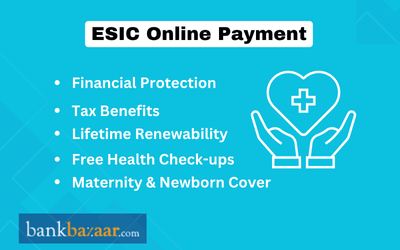
Key Features of the ESIC Scheme
- Self-Financing: The scheme is primarily funded by contributions from employers and employees.
- Comprehensive Coverage: It provides both cash and non-cash benefits, including complete medical care for the insured and their family members.
- Social Security: It offers a safety net for employees during various life events and contingencies.
ESIC Eligibility and Contribution Rates
- Employee Eligibility: Employees with a monthly wage of up to Rs.21,000 are covered. For employees with disabilities, the wage limit is Rs.25,000.
- Contribution Rates: The total contribution is 4% of the employee's wages. The employer's share is 3.25%, and the employee's share is 0.75%.
- Exemption: Employees earning a daily average wage of Rs.176 or less are exempt from paying their share of the contribution. However, the employer's contribution is still mandatory.
How to Make ESIC Payment Online?
Making ESIC payments online is a straightforward process. Here's a detailed guide to help you through it:
Employer Registration and Login
- New Employers: If you are a new employer, you must first register your establishment on the ESIC portal or the Shram Suvidha Portal.
- Existing Employers: Log in to the ESIC portal using your employer credentials (username and password).
Generate E-Challan
- After logging in, navigate to the 'Generate Challan' or 'File Monthly Contributions' section.
- Enter the contribution period (month and year) and the total wages paid to the employees.
- The system will automatically calculate the employer's and employees' contributions based on the provided wage details.
- Verify the details and submit to generate the e-challan. The challan will have a unique 14-digit number.
Online Payment
- Once the challan is generated, select the 'Pay e-Challan' or 'Pay Online' option.
- You will be redirected to a payment gateway with options to pay via net banking, debit/credit card, or UPI.
- Select your preferred payment method and bank to complete the transaction.
- After a successful payment, you will receive a confirmation receipt. It is crucial to save and print this receipt for your records.
Challan Verification
- You can verify the status of your payment using the 'Online Challan Double Verification' feature on the ESIC portal.
- Enter the challan number to confirm that the payment has been successfully processed and your records are updated.
Penalties for Late Payment
It is mandatory for employers to deposit the ESIC contribution by the 15th of every month. Failure to do so can result in penalties and legal action:
- Interest: A simple interest of 12% per annum is levied for each day of delay.
- Damages: The Corporation may impose damages at rates ranging from 5% to 25% of the contribution amount, depending on the period of delay.
- Legal Action: Non-payment of contributions can lead to prosecution and imprisonment.
FAQs on ESIC Online Payment
- What is the main objective of the ESIC scheme?
The primary objective is to provide social security and health insurance to employees in the organized sector, protecting them from financial hardship due to sickness, maternity, disability, or death.
- Who is eligible for ESIC benefits?
Employees earning up to Rs.21,000 per month (Rs.25,000 for persons with disabilities) in establishments with 10 or more employees are eligible.
- What are the current ESIC contribution rates?
The total contribution rate is 4% of the employee's wages, with the employer contributing 3.25% and the employee contributing 0.75%.
- Can I make ESIC payments through any bank?
Yes, online payments can be made through the net banking facilities of most major banks, as well as via debit/credit cards and UPI.
- How do I register a new employee under the ESIC scheme?
Employers can register new employees online through the ESIC portal by providing their details and generating a unique insurance number.
- What should I do if my online payment fails?
If a transaction fails, first check your bank account for any debits. If the amount is deducted, wait for the status to be updated. If not, you can re-initiate the payment process. For persistent issues, contact ESIC support or your bank.
- What are the benefits provided to employees under the ESIC scheme?
The scheme offers a wide range of benefits, including medical care for the employee and their family, sickness and maternity benefits, disability benefits, and dependant's benefits in case of the employee's death.
- What is an e-Pehchan card?
The e-Pehchan card is an identification card issued to every insured person, containing their insurance number and other details, which is used to avail benefits under the scheme.
- How are ESIC returns filed?
Employers are required to file monthly contributions online. Additionally, an annual return in Form 01-A must be submitted by the 31 of January every year.
- Where can I find more information and assistance?
For more information, you can visit the official ESIC website or contact the ESIC helpdesk. ESIC also conducts 'Suvidha Samagam' meetings to address grievances.

Disclaimer
Credit Card:
Credit Score:
Personal Loan:
Home Loan:
Fixed Deposit:


Copyright © 2026 BankBazaar.com.